Inbox & lead review
The Inbox is where every captured lead lands. Use it to triage, inspect, and act on incoming submissions.
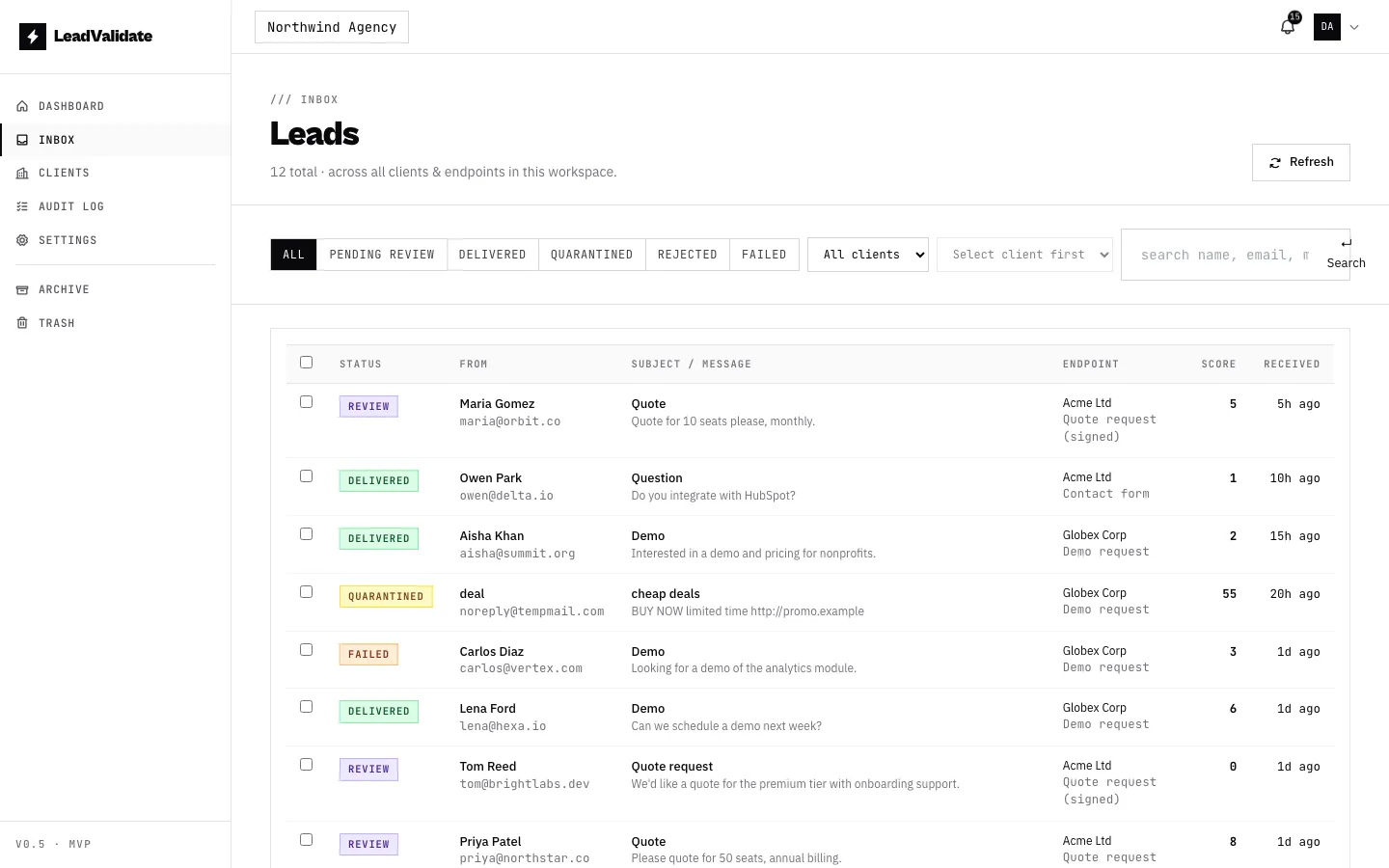
Statuses
| Status | Meaning |
|---|---|
| Pending review | Held for your approval before delivery (agency-approval endpoints). |
| Delivered | Emailed to the client’s recipients. |
| Quarantined | Spam score crossed the spam threshold; not delivered. |
| Rejected | Scored at/above the reject threshold; dropped. |
| Delivery failed | Passed scoring but the email could not be sent. |
The score bar
Each lead shows a spam score (0–100). A higher score means more spam signals were detected. Open a lead to see the exact reasons that contributed to its score.
Lead detail
Click any lead to open its detail drawer — normalized fields (name, email, phone, message, company, source), the score breakdown, and the raw payload exactly as it was received.
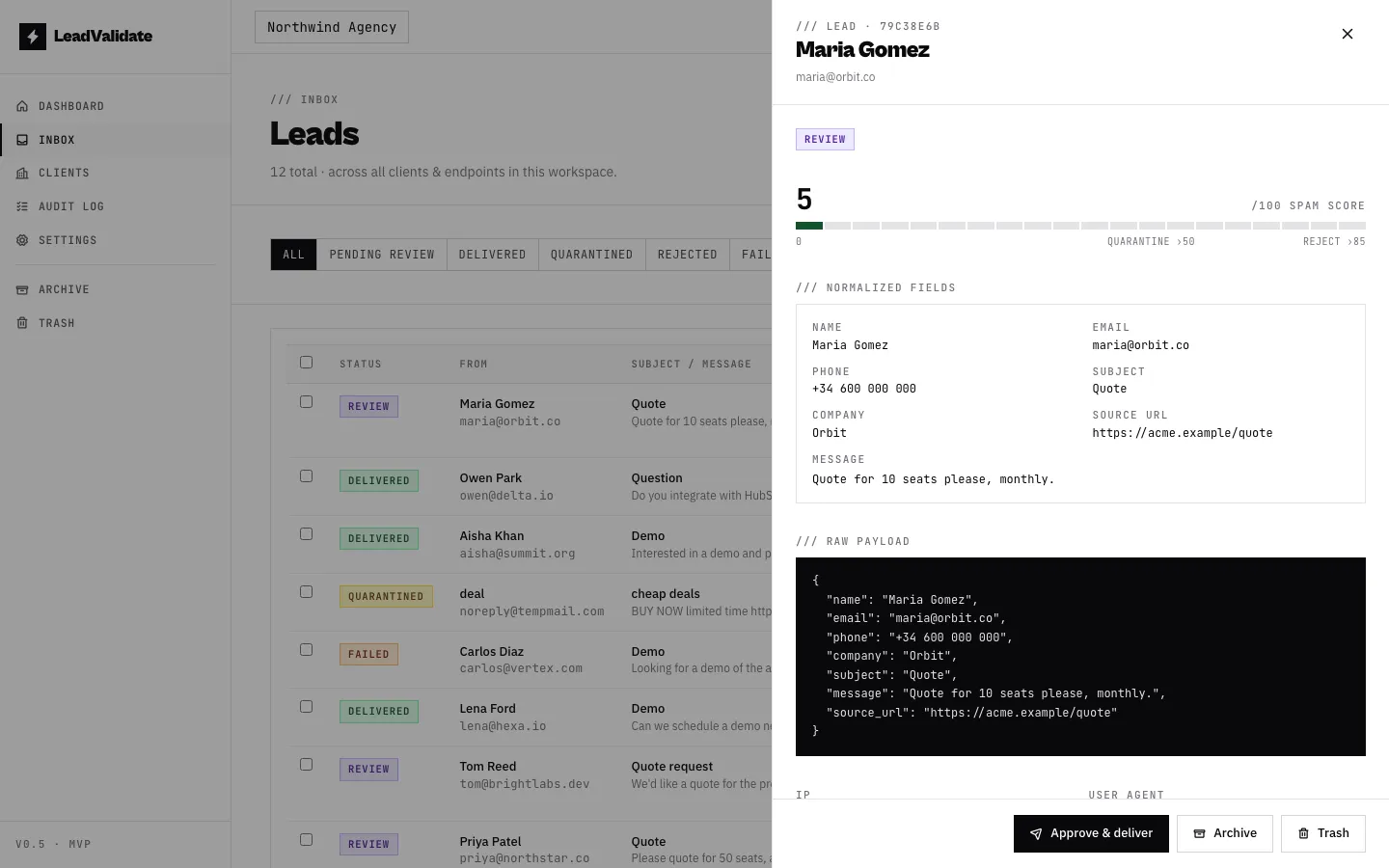
From here you can resend a failed lead, release a quarantined one, or approve a lead that is awaiting review (see Agency approval workflow).
Filtering by client & endpoint
Above the lead table, two dropdowns let you narrow the list quickly:
- Client — show leads for a single client.
- Endpoint — after picking a client, this list narrows to that client’s endpoints so you can focus on one form.
These combine with the status tabs and the search box (which matches name, email, subject, message, and company).
Mailbox: Inbox, Archive & Trash
Leads are organised into a mailbox so the Inbox only shows what still needs attention. This is separate from a lead’s status — any lead, in any status, can be filed.
| Mailbox | What it’s for |
|---|---|
| Inbox | The default working set — leads that may still need action. |
| Archive | Real leads you’ve dealt with and want to keep, out of the way. |
| Trash | Test submissions and spam you don’t want to address. |
Filing is owner-only and fully reversible — nothing is permanently deleted. Workspace owners see Archive and Trash in the sidebar; members see only the Inbox.
- Archive / Trash a lead from its detail drawer, or select several with the row checkboxes and use the bulk action bar to file many at once.
- In the Archive and Trash views, Restore moves a lead back to the Inbox. The Archive view can also send a lead to Trash.
Trashed leads are excluded from the dashboard statistics; archived leads still count.