Clients & endpoints
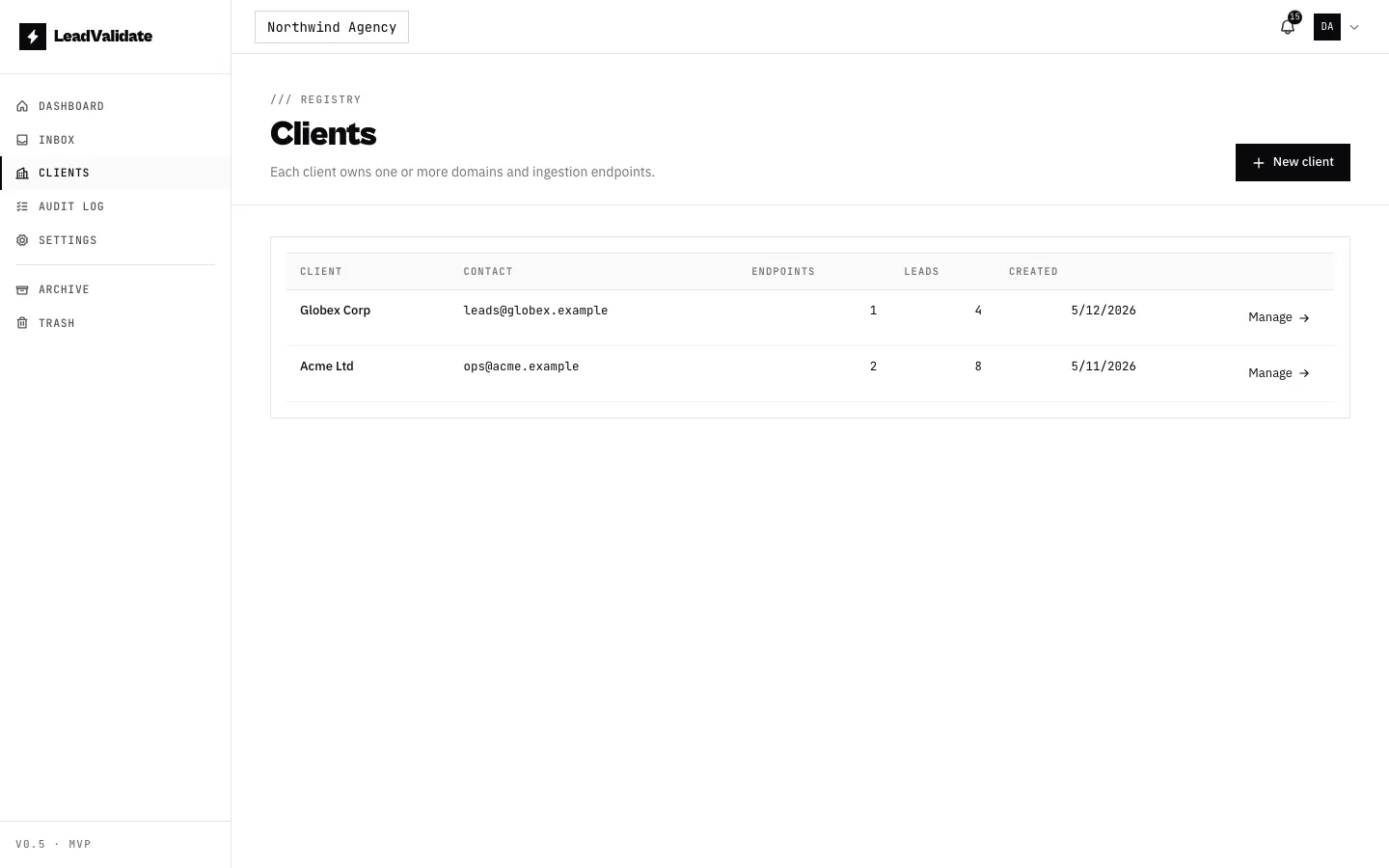
A client is a business you manage. Each client has one or more endpoints — the URLs their website forms post to. The Clients page lists everyone you manage, with their endpoint and lead counts at a glance.
Creating a client
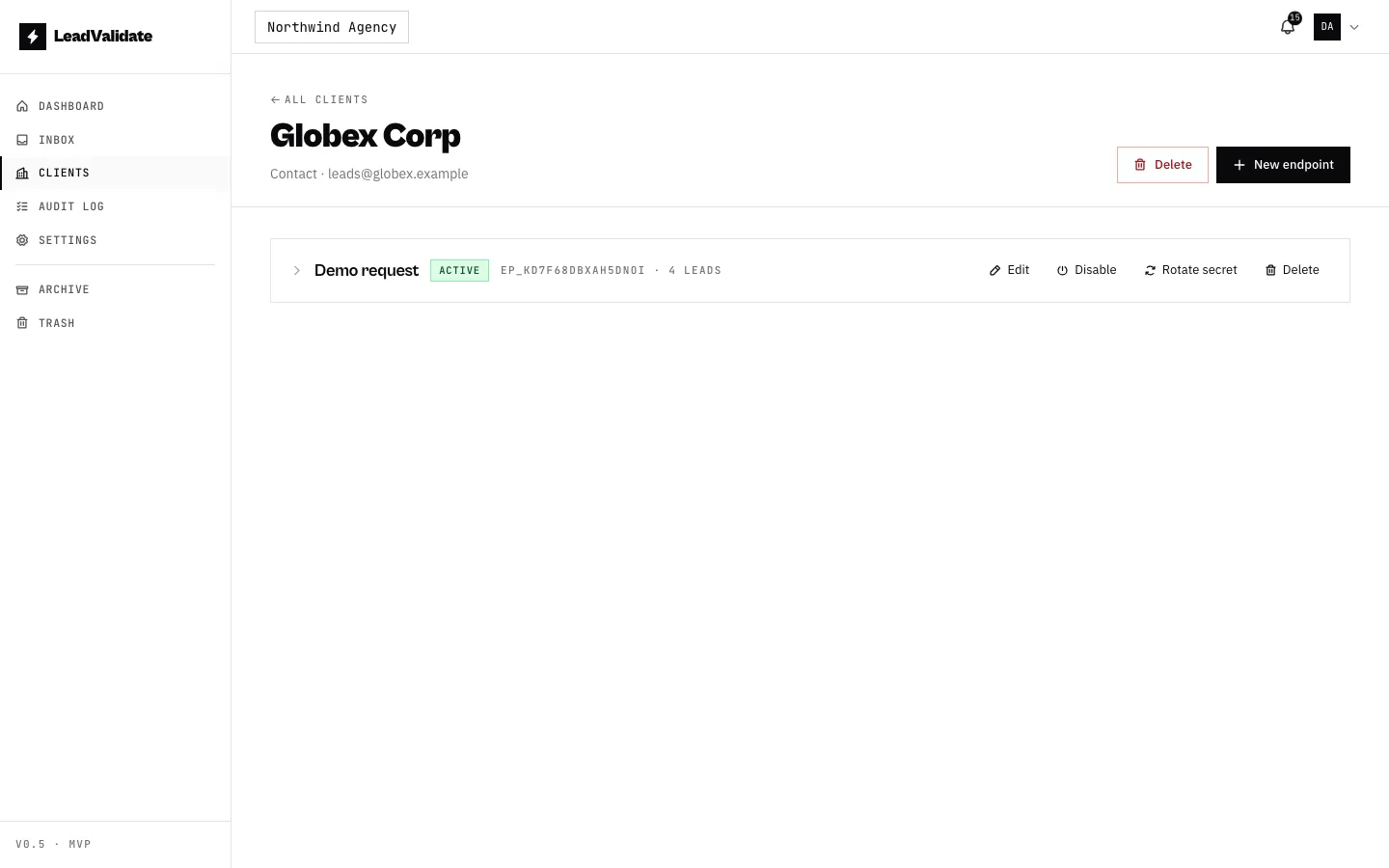
From Clients → + New Client, give it a name and (optionally) a contact email and notes. Open a client to see its endpoints and recent activity.
Creating an endpoint
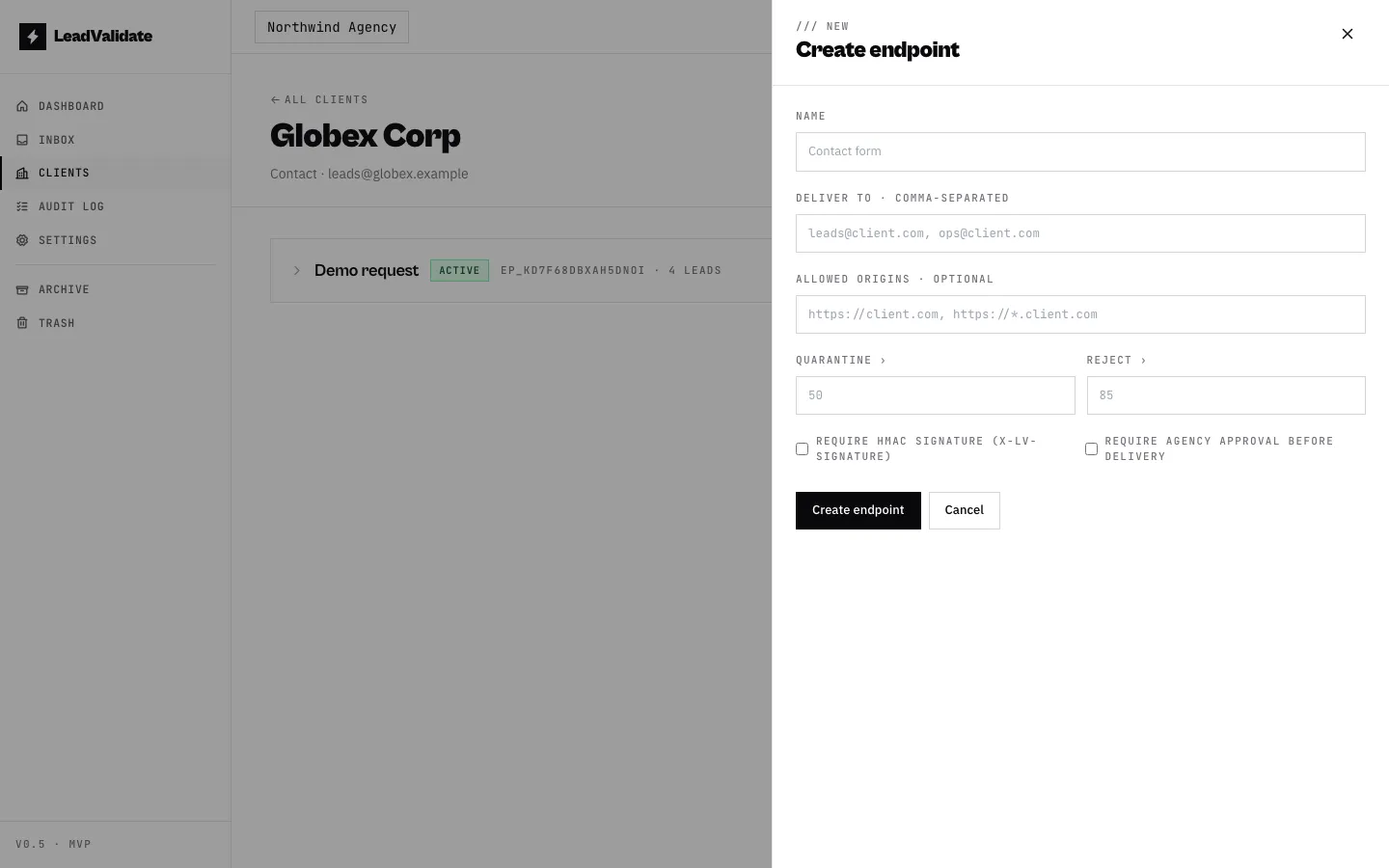
Open a client and click + New Endpoint:
| Field | Notes |
|---|---|
| Name | e.g. “Contact form”, “Quote request”. |
| Deliver to | One or more emails that receive approved leads. |
| Allowed origins | Lock the endpoint to specific domains. Empty = any origin. Supports https://*.example.com. |
| Spam threshold | Leads scoring ≥ this are quarantined. Defaults to the workspace setting. |
| Reject threshold | Leads scoring ≥ this are rejected outright. |
| Require HMAC signature | Stronger auth — the client site signs each request. See below. |
| Require agency approval | Hold leads for review before delivery. See approval workflow. |
Auth modes: bearer vs HMAC
Every endpoint authenticates incoming requests one of two ways:
- Bearer secret (default) — the caller sends the
lvs_…secret in anX-LV-Secretheader. Simple; fine for server-to-server calls. - HMAC signature — the caller signs the request body and sends
X-LV-Signature: sha256=…. The secret never crosses the wire, and a captured signature cannot be replayed against a different body. Recommended whenever the request is signed server-side (for example, a Cloudflare Pages Function).
Enable HMAC with Require HMAC signature when creating the endpoint. (Turning it on for a legacy endpoint that pre-dates the feature requires rotating the secret first.)
The secret
The full lvs_… secret is shown once — right after creation or after Rotate
secret. Copy it somewhere safe; only a masked preview is shown afterwards.